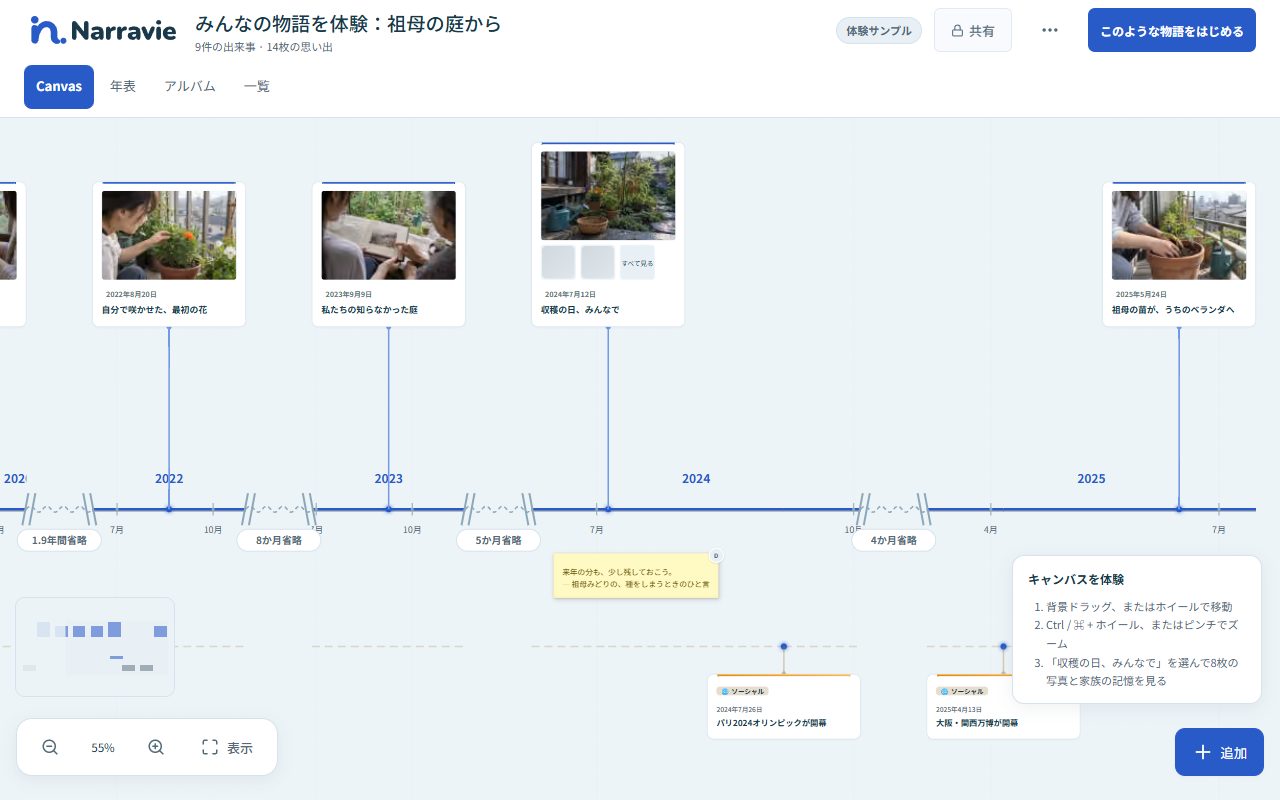
Break the trip into a few events
For a weekend away, start with the departure, a stop on the road, dinner at the hotel, and a detour on the way home. You do not need to sort every photograph at once.
One person might have photographed the view while another caught a friend’s reaction. Placing both around the same event gives those different perspectives a shared context.
Add a place or a few words to the photo
An event called “Lunch on day two” becomes more memorable when you add what you ordered, how you got lost, or why you want to return. Record details that help someone who was there remember the moment.
Photo timestamps can differ across devices and time zones. Check automatically supplied dates against your itinerary and the group’s memories before relying on their order.
- Create a timeline for the trip and add its main events.
- Add representative photos, places, and a short description.
- Invite participants to fill in missing moments and other perspectives.
Make it easy to revisit after the trip
Use the chronology view to review the order and the album view to browse the photos. Even adding event titles and restaurant names now can help when you look back months later.
Leave out information the group does not need, such as ticket reference numbers or personal contact details. Keep the original files separately and build the shared record from the moments you want to revisit.
Questions before you start
Does everyone on the trip need a paid subscription?
No. Shared storage and participant limits follow the owner’s plan. Collaborative editing requires the owner to use Pair or above.
Is this a place to back up all my photos?
Narravie is a shared timeline for photos and events. Each plan has a storage limit. Start with a selection from the trip and keep your original files separately.
Start with a few photos
Start on Free, then choose a plan that fits the number of people and memories you want to share.